
Imagine launching a new application without proper testing. The design looks perfect, the features are complete, and everything seems ready. But once it reaches the users, an unexpected bug crashes the app during login. Suddenly, all the hard work of developers, designers, and managers looks incomplete because the end-user cannot use it. This is exactly where “QA Makes the Difference” is.
In today’s fast-paced digital world, delivering high-quality software isn’t just a goal—it’s a necessity. QA ensures that software meets the highest standards of functionality, usability, and reliability of the product. QA knows the quality, features, requirements, or overall functionality of a product system. That’s why QA is the backbone of software quality.
But as products grow more complex and the demand for faster delivery increases, relying solely on manual testing is no longer sufficient. This is when automation testing must be integrated, transforming the process by minimising human errors and significantly improving productivity and efficiency.
What is Automation Testing?
Automation testing uses frameworks to run tests. Each framework is scripted with the rules of automation for the software to be tested. This framework is integrated with the various components, like
- Function libraries
- Test data sources
- Object details
- Other reusable modules
Choosing the right automation testing framework is essential, as it could optimise the testing process by delivering high performance with low maintenance costs.
Depending on the business requirements, this framework could be linear, structured, data-driven, key-driven, hybrid, or agile. The automation framework provides the required infrastructure that the automation testing tool can use to perform testing.
When Should I Start Automation?
Automation often comes into play when manual testing becomes too time-consuming or error-prone, especially with regression tests that must be repeated frequently after each code change.
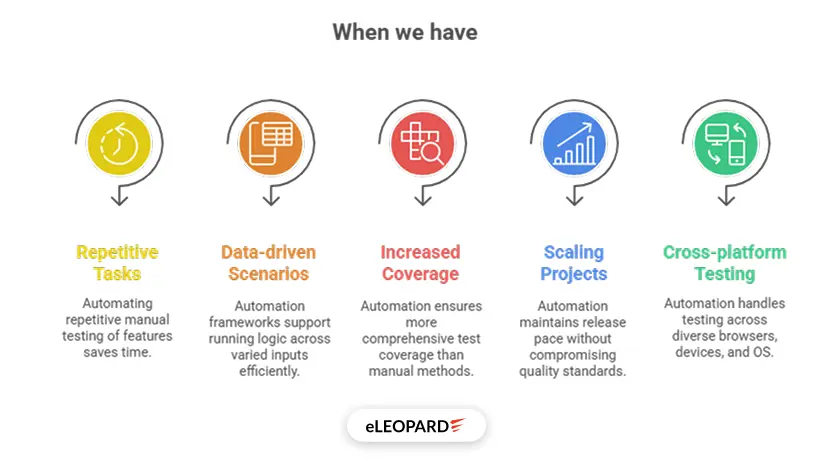
- Repetitive Testing Tasks: If you’re manually testing the same features (such as login flows or checkout processes) repeatedly, automation can save you time and reduce effort.
- Data-driven scenarios: You’ve probably have test cases that need to be run with multiple data sets—same steps but different values. In some cases, the order of test execution also matters. Managing all of that manually can get messy—you could forget the order or make mistakes when running specific test cases. QA automation frameworks that support data-driven testing let you run the same logic across a wide range of inputs.
- Increased test coverage: Manual testing is a tedious task that can be boring and, at the same time, error-prone. Thus, automation testing ensures more test coverage in comparison to manual testing, where it is not possible to achieve 100% test coverage.
- Scaling Projects: When manual testing slows down releases, automation keeps the pace without sacrificing quality.
- Cross-platform testing: When our application must operate across different browsers, devices, or operating systems, that’s a lot of ground to cover manually. QA automation equips you to run the same script in different test environments in a parallel fashion. Automation simplifies and standardises the process.
Process of Automation Testing

1. Test Planning
It is the first process of the automation testing life cycle. In which the scope, objectives of the application are. We decide which modules of the applications can be mechanised and which cannot.
Which test cases can be mechanised, and how to mechanise them?
Variables like cost, team size, and ability should also be taken into consideration. Example: “Automate login and payment flows.”
2. Tool Selection
3. Test Script Creation, Framework Development
Recognise which design framework to utilise after understanding the upsides and downsides of the testing tool. Construct a test suite for the Automation experiment on the device to test the executives.
4. Test Case Selection
5. Set up the Test Environment
6. Test Execution
Final Execution of test cases will take place in this phase, and it depends on the language. For .NET, we’ll be using NUnit, for Java, we’ll be using JUnit or TestNG, for JavaScript, we’ll be using QUnit or Jasmine, etc.
Result Analysis – Review reports, identify bugs, and log defects.
7. Result Analysis, Maintenance
After a wide range of testing is carried out, the testing team examines to determine specific segments that experience an overall number of issue reports. The outcome of the examination proposes whether it requires an extra test attempt or not.
The maintenance approach is an automation testing stage that is used to test the new functionality of the software to validate whether the new functionality added to the product is working fine or not. It is implemented when any new scripts are added and require inspection and keeping up, so as to improve the power of automation scripts.
Automation Tools
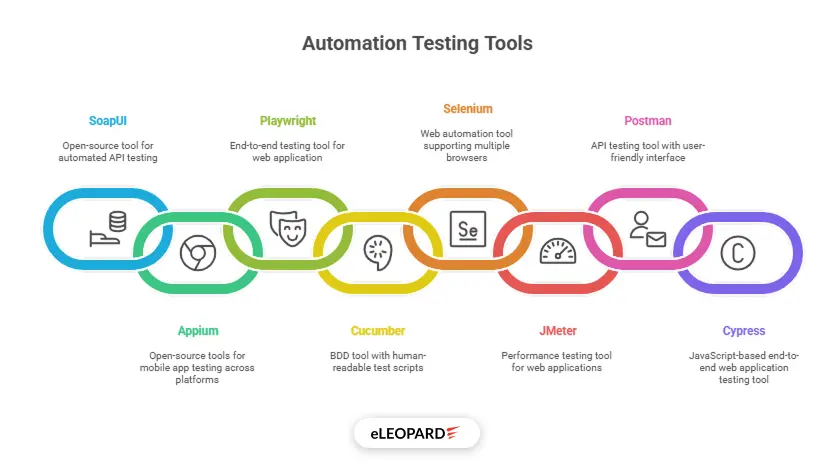
1. SoapUI
2. Appium
Appium is an open-source test automation framework for mobile apps, including native, hybrid, and mobile web apps across Android, Windows, and iOS.
We can write tests in multiple programming languages using the WebDriver protocol. We can also reuse the same test logic across different operating systems.
3. Playwright
4. Cucumber
5. Selenium
Or Selenium automation testing with Java is a powerful combination that enables the creation of efficient and reliable test scripts for web-based applications because Java’s object-oriented programming model makes it easy to write reusable and maintainable Selenium Java scripts.
6. JMeter
Apache JMeter is used to test performance both on static and dynamic resources and web dynamic applications.
It can be used to simulate a heavy load on a server, group of servers, network or object to test its strength or to analyse overall performance under different load types.
7. Postman
8. Cypress
Undeniable Benefits of Automation
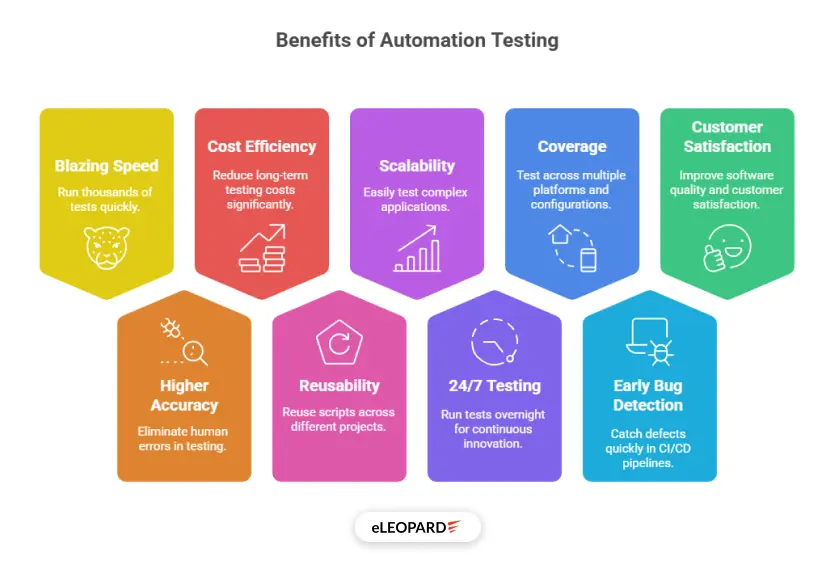
Automated testing offers significant benefits that improve software quality and development efficiency.
Automated Testing has the following advantages:
- Blazing Speed: Run thousands of tests in minutes, not days.
- Guarantees Higher Accuracy: Eliminate human errors in repetitive tasks.
Manual testers are human; they will miss steps and make other errors. Automation, however, runs a script perfectly every single time, and records results in the exact detail it has been instructed to. - Cost Efficiency: Reduce long-term testing costs by up to 70%.
- Reusability: Scripts can be reused across projects, saving time.
- Scalability: Test complex applications with ease.
- 24/7 Testing: Automated tests run overnight, freeing up daytime for innovation.
- Coverage: Enables running tests across multiple platforms and configurations.
- Early Bug Detection: Catch defects quickly in CI/CD pipelines.
- Improved Customer Satisfaction: Quicker bug detection and better software quality result in a seamless user experience, which increases customer satisfaction.
- Real-World Impact: Amazon’s Automation Success. Amazon reduced its regression testing time from 72 hours to just 6 hours using automation. This allowed them to release updates faster and handle Black Friday traffic without glitches.
Conclusion
Automated testing is a great way to save time and money by speeding up the testing process and delivering a higher level of accuracy. If we use automated testing alongside manual testing, we would have the best chance of catching a high number of bugs and defects.
Automation would not do everything for us. We still have to brainstorm on the automation build-up process, choosing the right automation tool, plan, create, maintain, and do continuous integration and deployment. Having said that, some amount of manual testing will always be necessary, and it cannot be eliminated from Software Testing.
As testers, our role is not just to find bugs, but to prevent risks before they affect users. We think from the user’s perspective and ensure that the product delivers trust, stability, and quality. Every click we test, every scenario we imagine, and every detail we validate saves companies from failure and builds confidence among users.
